
Your store’s emails
are landing in spam.
Route WordPress mail through real SMTP so orders, resets and contact forms actually get delivered, with a full log so you can prove it.
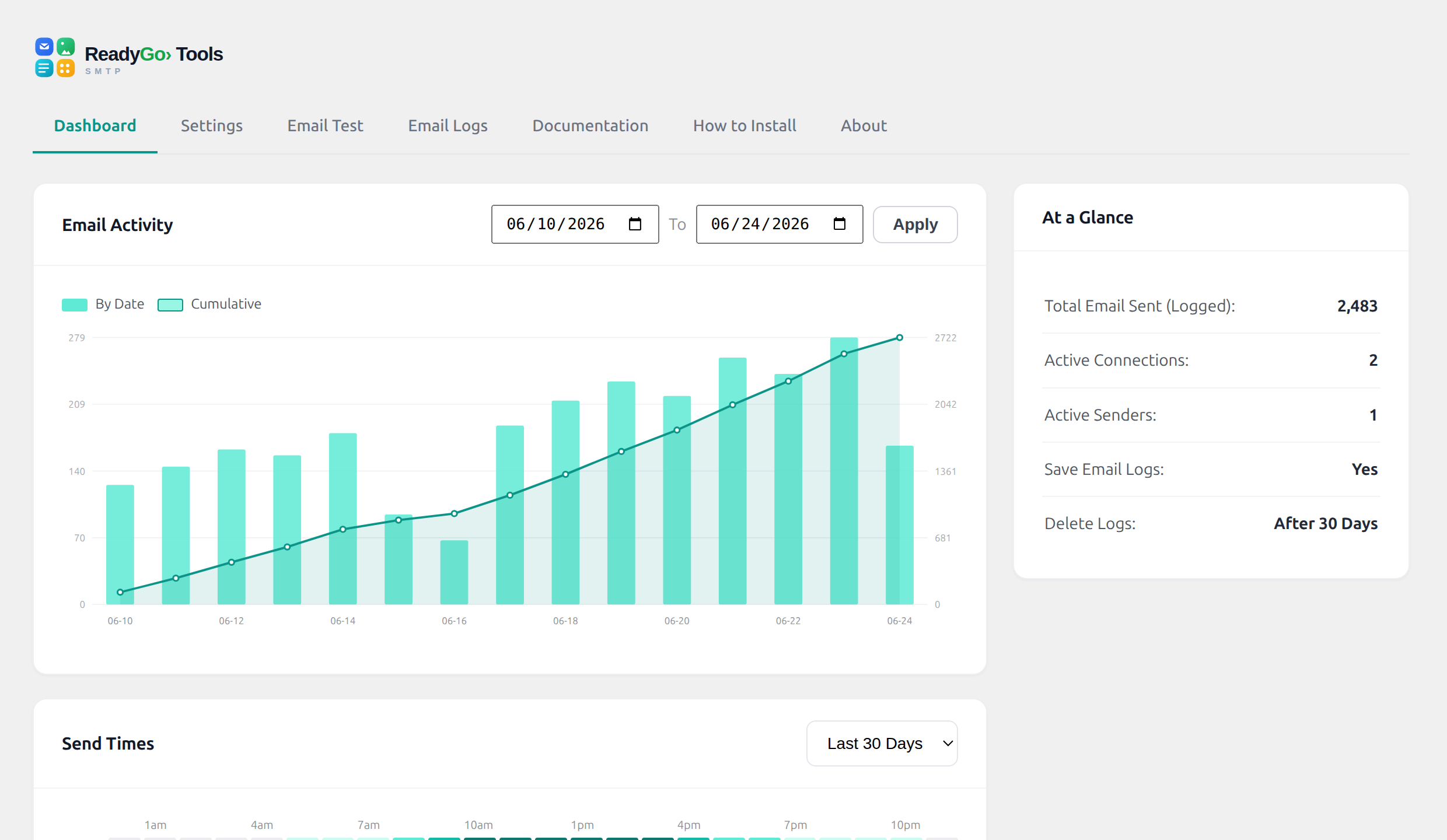
Default WordPress mail is unauthenticated, so it gets filtered or dropped. SMTP fixes deliverability, and a log means you never have to guess whether an email actually went out.
See the difference
From vanished to verified
Same email. One quietly disappears. The other is delivered and logged.
Before
“Did the customer get their receipt?” Nobody knows. It never arrived.
After, ReadyGo
SentIn the inboxEvery message routed through trusted SMTP, delivered to the inbox, and recorded in a log you can search and re-send from.
Why sites switch it on
Deliverability you can prove
Reliable sending and a paper trail, without a monthly bill.
14 providers
SMTP and API support for the services you already use.
Automatic failover
If one route fails, another takes over. Mail keeps flowing.
Full delivery log
See every email, its status and content. Re-send in a click.
Authenticated sending
Pass the checks inboxes require so you stay out of spam.
Load-balancing
Spread volume across routes to protect deliverability.
No tracking
Your mail, your server. No external analytics, no upsell.
How it compares
Deliverability without the freemium wall
| Popular SMTP plugins | ReadyGo | |
|---|---|---|
| Email log | Limited on free | Full |
| Providers | A few | 14 |
| Failover / balancing | Pro only | Included |
| Price | Freemium | Free |
Dead simple
Reliable email in 3 steps
Install and activate
Free from WordPress.org.
Connect a provider
Pick from 14 and paste your details.
Send with confidence
Watch mail land, and check the log anytime.
Stop losing important email
Route WordPress mail through real SMTP with failover and a full log. Free, no signup.
Get it freeHow ReadyGo SMTP Works
WordPress sends email through your hosting server by default, but that unauthenticated route often lands in spam or gets dropped entirely. ReadyGo SMTP reroutes all WordPress mail through a proper SMTP server that passes authentication checks. You paste your SMTP credentials into the plugin settings, send a test email to verify it works, and every message from then on (order confirmations, password resets, contact form submissions) flows through the authenticated route into actual inboxes. A full email log keeps a searchable record, so you can troubleshoot deliverability issues and even re-send messages if needed. The plugin handles 14 different providers with automatic failover, so if one route fails, another takes over seamlessly.
Key Features
- Support for 14 SMTP and API providers
- Automatic failover if the primary route fails
- Full email delivery log with search capability
- Send test emails to verify configuration works
- Re-send emails directly from the log
- Authenticated sending to pass inbox filters
- Load balancing across multiple routes
- No tracking or external analytics
- Free. No monthly bills or freemium limitations
- Works with all WordPress email types including orders, resets, and forms
Frequently Asked
What if my SMTP provider is down?
ReadyGo SMTP supports automatic failover. Set up a primary and backup provider, and mail keeps flowing if the first one goes offline.
Can I see if an email was actually delivered?
Yes. The plugin maintains a searchable log of every message sent, including its status (delivered, failed, bounced). You can also re-send directly from the log.
Which SMTP providers does ReadyGo support?
ReadyGo SMTP supports 14 major providers including SendGrid, Mailgun, AWS SES, Google Workspace, and others. Check the settings page for the full list.
Do I need a separate SMTP service, or can I use my hosting?
You can use either. Many hosting providers offer SMTP access in your control panel. ReadyGo connects to any SMTP server you have credentials for.
How much does ReadyGo SMTP cost?
The plugin is free. You only pay your SMTP provider (if any). Many hosts include SMTP at no additional cost, and other services offer free tiers.
Related Solutions
ReadyGo SMTP is part of a suite of tools designed to strengthen WordPress reliability. Combine it with the ReadyGo Toolkit for admin utilities, the Variation Spreadsheet for WooCommerce for product management, or Gift Wrap for order enhancements. Discover more WordPress solutions at the ReadyGoTools plugins hub.
Secure payment by Stripe. Your card details never touch our servers.