Image to Video Converter
Turn a pile of photos into a real MP4 — with your own music, smooth transitions and title cards. Add your photos below, pick a look, and the video renders in the cloud and drops into your Media Library.
Turn Your Photos into a Video
Add your photos, pick music and a style, and we render a ready-to-share MP4 for you.
- 1Photos
- 2Music
- 3Style
- 4Create
Add your photos
Choose the photos for your video. Drag them to change the order.
or drag & drop them here — including a ZIP, 7z, RAR or TAR of photos
Works with JPG, PNG, GIF, HEIC, HEIF, WebP, AVIF, TIFF, BMP, JP2, JXL, APNG, MNG, PDF and ZIP / 7z / RAR / TAR archives. iPhone photos welcome.
Add music (optional)
Upload an MP3 to play under your video. It is trimmed or looped to fit, with a gentle fade-out.
Pro unlocks a royalty-free music library with beat-synced transitions.
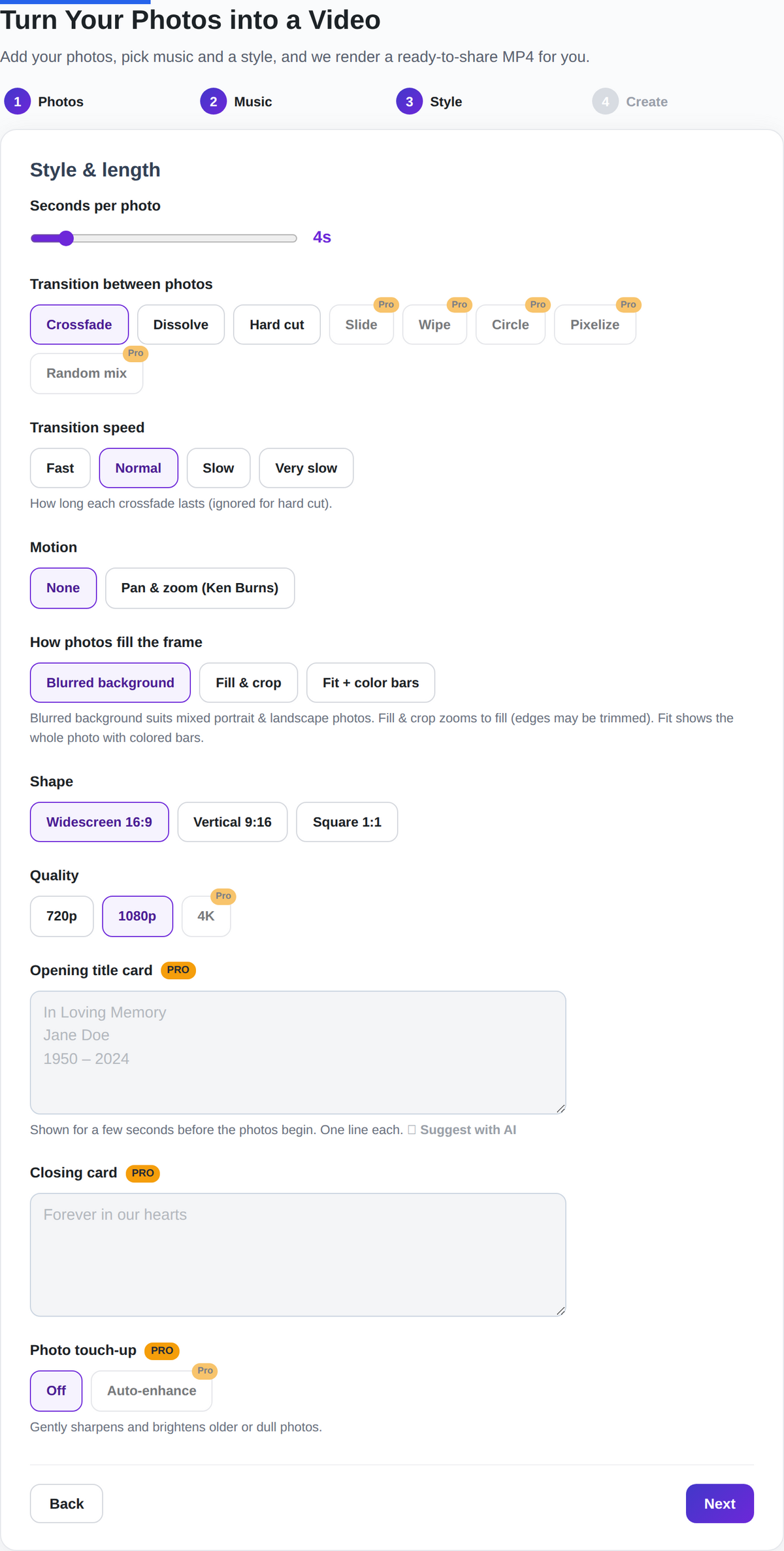
Style & length
How long each crossfade lasts (ignored for hard cut).
Blurred background suits mixed portrait & landscape photos. Fill & crop zooms to fill (edges may be trimmed). Fit shows the whole photo with colored bars.
Shown for a few seconds before the photos begin. One line each.
Gently sharpens and brightens older or dull photos.
Create your video
Most “photo to video” sites are rough. They slap a watermark across the middle, stop you at ten images, or hand back a jittery GIF. This one was built for the videos people actually keep — a memorial slideshow for a grandparent, a birthday montage, the wedding recap you’ll still watch in ten years. You add photos, choose music and a style, and press one button — the heavy lifting happens in the cloud, so it doesn’t matter if you’re on an old laptop or a phone.
What you can do with it
Everything below works right in your browser. The advanced touches are Pro.
Use the photos you already have
JPG, PNG and iPhone HEIC just work — so do WebP, AVIF, TIFF, GIF, BMP, JP2 and even PDF pages. Got a folder backed up as a ZIP, 7z, RAR or TAR? Drop the whole archive in and it unpacks and sorts them for you.
Drag to reorder
Get the order right before you render. Drag the thumbnails around — on a mouse or a phone — and each photo shows its place in line. Remove the ones that didn’t make the cut.
Your music, fitted for you
Add an MP3 and it’s trimmed or looped to match the video’s length, with a soft fade at the end. No fiddling with timelines.
Transitions you control
Crossfade, dissolve or a clean hard cut — plus slide, wipe, circle and pixelize on Pro. Set how fast they move, from a quick blink to a slow, gentle blend.
Gentle motion & elegant cards
A slow Ken-Burns pan-and-zoom makes still photos feel alive — included free. Bookend it with an opening and closing card (Pro): “In Loving Memory,” a name, the years — in a calm serif that suits the moment.
No ugly black bars
Mixing portrait and landscape shots? Choose a soft blurred background, fill-and-crop, or a fitted look with a bar colour you pick. Widescreen 16:9, vertical 9:16 or square 1:1.
Made for real occasions
- Memorial & tribute videos
- Birthdays & anniversaries
- Weddings & engagements
- Trips & year-in-review recaps
- Real-estate photo tours
- Vertical clips for social
Questions people ask
What kinds of images can I turn into a video?
JPG, PNG, GIF, HEIC, HEIF, WebP, AVIF, TIFF, BMP, JP2, JXL, APNG, MNG and PDF — and if your photos are zipped up, ZIP, 7z, RAR and TAR archives too. Whatever you upload gets converted to a clean frame automatically.
Does it work with iPhone photos?
Yes. iPhones save photos as HEIC, which trips up most tools — here they upload and convert without a fuss. Sideways shots get rotated the right way up, too.
How many photos can one video have?
Up to 500 on Pro, and you can set each photo to hold the screen for 3 to 12 seconds. Free videos are shorter but there’s no catch — the tool is the same.
Is there a watermark?
Free videos carry a small READYGOTOOLS.COM mark in the corner. Pro removes it — along with unlocking 4K, premium transitions and the title cards.
Do I need to install anything?
No. It runs in your browser and renders on our servers, so your computer or phone isn’t doing the encoding. When it’s done, the finished MP4 is saved for you.
Bring the photos, we’ll bring the rest
Free to try, no account gymnastics. Scroll back up and add your first photos.