
Your best pages
have no links in.
Find the orphan pages, add the internal links your content is missing, and fix broken ones, all from one simple dashboard. Better rankings, less busywork.
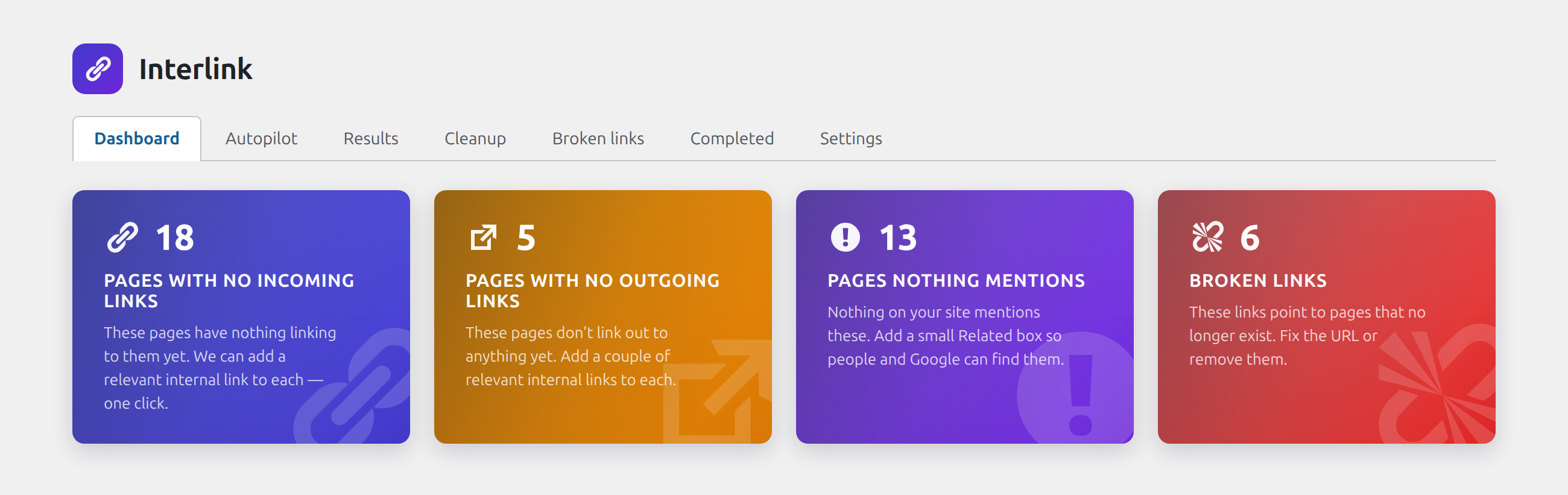
Google follows links to understand and rank your pages. Orphaned posts get buried and broken links leak trust. Interlink finds both and fixes them without a spreadsheet.
See the difference
From orphaned to interlinked
Same content. One version hides your best work. The other connects it.
Before
Strong posts sitting alone, no links pointing to them, quietly ignored by search.
After, ReadyGo
LinkedApprovedInterlink suggests relevant links between your pages. You approve with a click and the equity starts flowing where it counts.
Why SEOs keep it on
Internal linking, finally simple
Find, add and fix links from one dashboard, with you in control.
Orphan finder
Instantly spot pages with no internal links pointing in.
Smart suggestions
Get relevant internal-link ideas based on your actual content.
Approve-first
Nothing changes without your click. You stay in control.
Broken-link checker
Find and fix dead links before they cost you trust.
One dashboard
Every link decision in one place, no plugins stacked up.
Better rankings
Flow link equity to the pages you want to rank.
How it compares
Internal linking without the SaaS bill
| SEO link SaaS | ReadyGo | |
|---|---|---|
| Orphan finder | Paid | Free |
| Link suggestions | $$/mo | Included |
| Broken-link checker | Add-on | Included |
| Approve-first control | Sometimes | Always |
Dead simple
Better linking in 3 steps
Install and activate
Free from WordPress.org.
Scan your site
See orphans, suggestions and broken links at once.
Approve and go
Click to add the links you want. Done.
Connect your best content
Find orphans, add the internal links you’re missing and fix broken ones. Free, approve-first.
Get it freeHow Internal Linking Helps Your SEO
Search engines follow links to crawl and index your site. But they also use link patterns to understand content relationships and decide which pages matter most. When your important posts have few or no links pointing to them, Google sees them as less valuable, even if the content is strong. Interlink fixes this by surfacing those orphaned pages and suggesting relevant connections.
Every internal link you add does two things: it tells Google “this page is important to my site” and it gives your readers a path to related content. The more quality pages link to a given target, the more authority that target accumulates. This is especially powerful for cornerstone articles or product pages you want to rank higher. Unlike external backlinks, you control all of this architecture yourself, with no third-party approval needed.
Broken links also hurt SEO. They create 404 errors, confuse crawlers, and send readers to dead ends. Interlink scans for these and flags them so you can fix or remove them before they damage your site health. Combined with proper internal linking, a clean, connected site structure becomes a SEO multiplier that costs nothing except your attention.
When You’ll Benefit Most From Internal Linking
- You have 20 or more posts and pages but low search visibility across them
- Some of your best content ranks nowhere, despite real effort
- You rarely link between your own posts, treating each one as a silo
- You have an old blog with years of archives that get no traffic
- You want to rank for specific keywords but haven’t connected related pages
- You have product categories or resource pages that deserve more prominence
- You’ve never audited for broken links and you’re concerned about crawl errors
Common Internal Linking Questions
How many internal links should I add to a post?
There’s no magic number. Aim for 3 to 5 contextual links per 1000 words, pointing to relevant posts or pages. More matters less than relevance. A single link to your cornerstone article is better than ten links to unrelated pages.
Does Interlink edit my posts automatically?
No. Interlink shows you the suggestions and you approve each one before it’s added. You remain in full control. If a suggestion doesn’t fit or feels forced, you skip it.
Will linking between my pages dilute ranking power?
No. Internal links don’t leak authority like external links might. Proper internal linking actually consolidates it. You’re telling Google which pages matter most to your site, and readers get a better browsing experience.
Can I use Interlink on old sites with hundreds of posts?
Yes. Interlink scales to any size site. On very large sites, you can focus on high-traffic pages first, then work through the rest in batches.
What if I have old dead pages I don’t want to fix?
Interlink shows you which pages are orphaned, but you decide what to do. You can delete them, merge them into newer posts, or leave them alone. No action is forced.
Pair With Other ReadyGo Tools
Interlink works great on its own, but it pairs well with other SEO plugins. Use ReadyGo Reading Time to show visitors how long your linked articles take to read, ReadyGo Toolkit for advanced site management, and explore the full ReadyGo plugins collection for more free tools.
Secure payment by Stripe. Your card details never touch our servers.