
A dozen plugins,
or one tidy toolbox.
Admin tweaks, cleanup, security hardening and speed, in one modular plugin. Flip on only what your site needs. Nothing you don’t use ever loads.
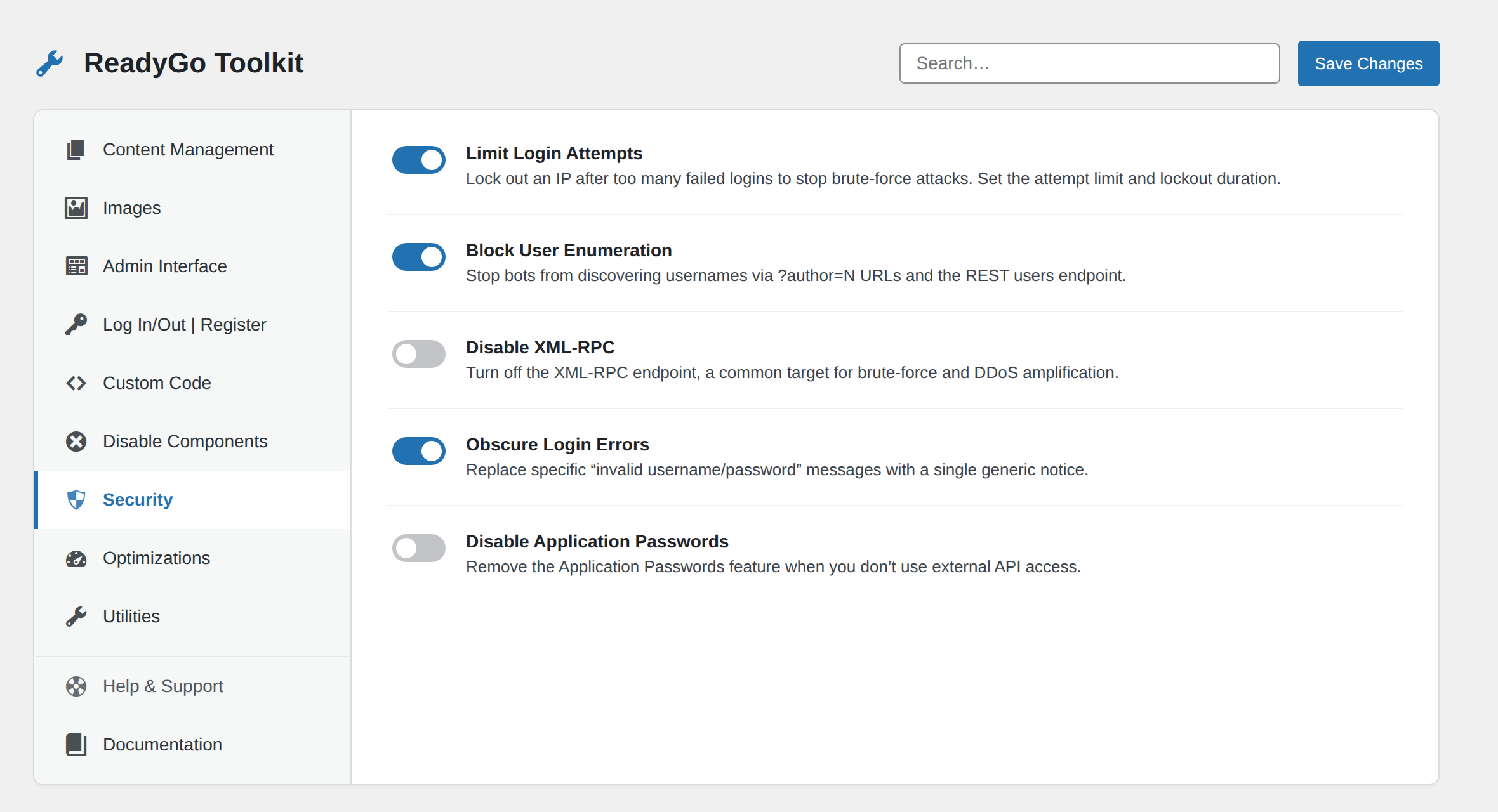
Stacking a dozen one-trick plugins slows your site and multiplies what can go wrong. One well-built toolbox does the same jobs, and only loads what you actually switch on.
See the difference
From plugin sprawl to one toolbox
Same features. One way clutters your site. The other keeps it tidy and fast.
Before
A dozen tiny plugins, each with its own settings, updates and risks.
After, ReadyGo
One pluginToggle onA single toolkit with 50+ modules. Flip on what you need, leave the rest off, and only the enabled ones ever load.
Why admins consolidate
Do more with fewer plugins
The utilities you keep reaching for, in one lightweight place.
50+ modules
One plugin covers cleanup, tweaks, security and speed.
Security hardening
Sensible protections and admin tweaks, on with a toggle.
Loads only what’s on
Disabled modules add zero weight. Your site stays fast.
One settings home
Every utility in one clean, organised place.
Cleanup tools
Trim the clutter WordPress leaves in your head and dashboard.
Original, independent code
Built from scratch, no external services, no tracking.
How it compares
One plugin instead of twelve
| A stack of single-use plugins | ReadyGo | |
|---|---|---|
| Number of plugins | 10+ | 1 |
| Only loads what you use | No | Yes |
| Security tweaks included | Extra plugin | Built in |
| Update nags | One per plugin | One |
Dead simple
Tidier site in 3 steps
Install and activate
Free from the download button above.
Toggle what you need
Switch on only the modules your site uses.
Delete the rest
Drop the single-purpose plugins you replaced.
Replace the plugin pile-up
50+ utilities in one modular plugin that loads only what you enable. Free, no signup.
Download freeWho ReadyGo Toolkit Is For
ReadyGo Toolkit is built for site owners and WordPress admins tired of managing a dozen fragmented plugins. If you’re running separate plugins for SVG upload support, post duplication, custom CSS snippets, login page tweaks, and half a dozen others, you’re carrying unnecessary complexity and weight. The Toolkit consolidates 45+ utilities into one modular interface, so you only load what you actually use. It’s ideal for small business sites, agencies managing multiple WordPress installs, and anyone wanting to clean up their plugin stack without sacrificing functionality.
What’s Included
- Disable comments globally or per-post type
- Enable SVG file uploads with configurable dimensions
- Duplicate posts, pages, and custom post types in one click
- Add custom CSS or JavaScript snippets to the site without editing theme files
- Tweak the WordPress login page with custom logo, text, and background
- Enable maintenance mode to lock out visitors during site work
- Disable emoji scripts to trim footer bloat
- Limit the number of post revisions stored in the database
- Remove admin notices from the dashboard clutter
- All modules load zero code when disabled
Common Questions
Will ReadyGo Toolkit slow my site down?
No. Disabled modules load no code at all. The plugin only adds weight for the features you actually switch on, and the total footprint is lighter than running a stack of single-purpose plugins.
Can I toggle modules on and off later?
Yes. Every module can be enabled or disabled anytime from the settings screen. No site configuration is lost when you toggle them off.
What if I need a feature ReadyGo doesn’t cover?
The Toolkit handles the most common admin utilities. If you find you still need a specialized plugin for something specific, install it alongside ReadyGo. The modular design means you can build your ideal stack.
Is there a limit to how many modules I can enable?
No. Enable all 45+ at once if you want. The plugin is designed to stay lightweight even with everything running.
How do I migrate from my old plugins?
Turn on the modules you need in ReadyGo, test them, then delete your old single-purpose plugins. Settings for each module are self-contained, so there’s no complex migration process.
Related Tools
ReadyGo Toolkit fits naturally into a cleaner WordPress setup. Pair it with other ReadyGoTools plugins like Interlink for internal linking and SEO, Reading Time for user engagement, or ReadyGo SMTP for email reliability. Explore the full plugin collection at ReadyGoTools to find the right utilities for your site.
Secure payment by Stripe. Your card details never touch our servers.